Notes
Notes are sticky notes attached to you — not to a project, not to a task, not to the workspace. They follow your account across every device you sign in from.
Use them for the thought you want to come back to without creating noise on the task board. "Research that pricing model before the Q3 review." "Ask Nikos about the procurement hold." Half-formed things. Reminders to yourself. Anything that doesn't have an assignee or a deadline yet.
Making a note
Go to Notes in the left sidebar. Click New note.
Here's what the editor looks like:
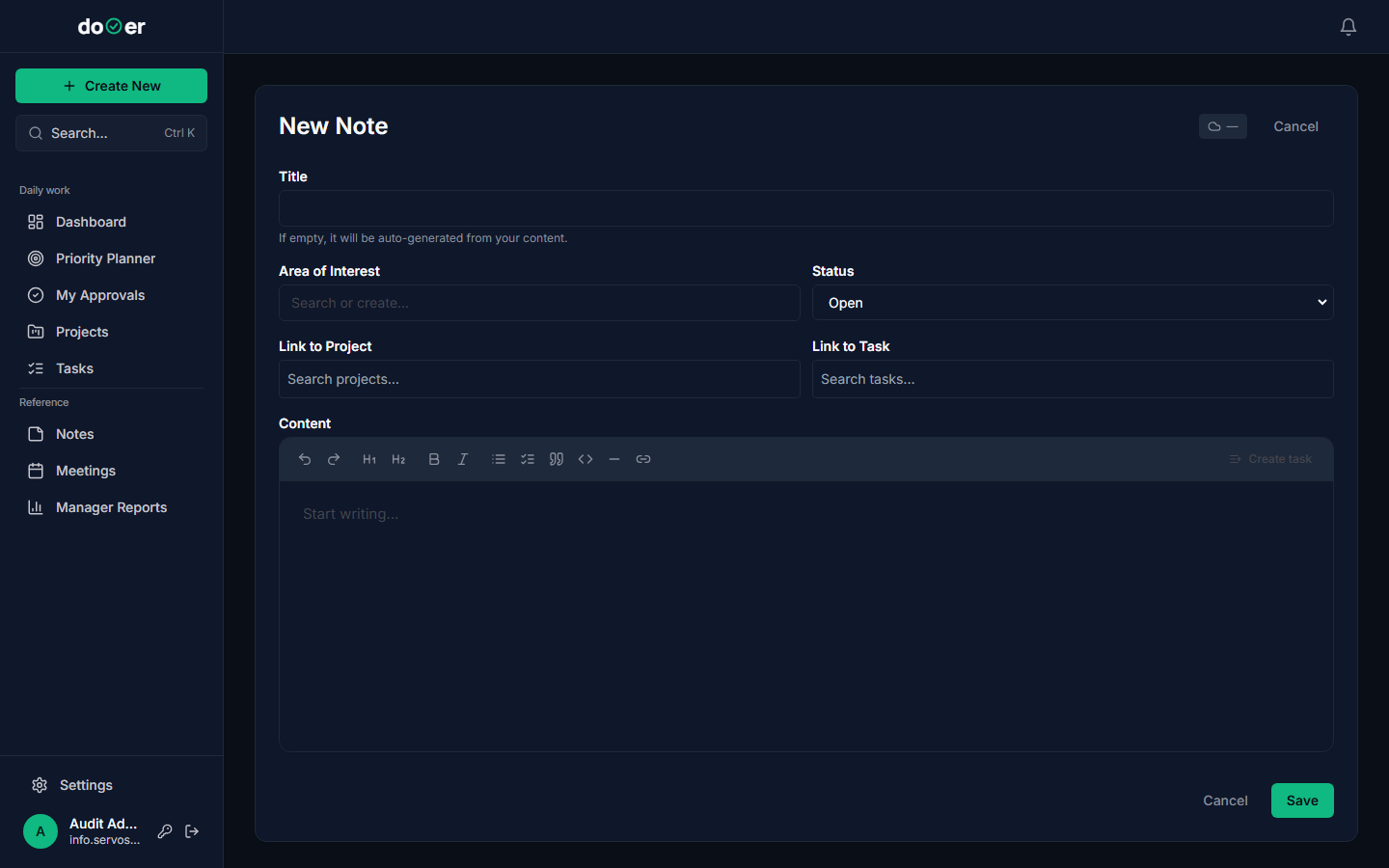
Type your text. That's the whole job — everything else is optional.
If you want to file the note under a topic, open the Area of Interest dropdown and pick one. This is the only thing that affects how your notes are grouped later. If you leave it blank, the note sits in the unfiltered view.
Click Save. The note is stored server-side against your account — not in the browser, not on this device only. Open dooer on a different machine and it will be there.
One account, one set of notes
Notes belong to the user who created them. If you sign in as a different account, you see that account's notes — not yours. An admin account with five notes and a regular member account with none are entirely separate lists.
Filtering by Area of Interest
Here's the Notes page with a few notes saved:
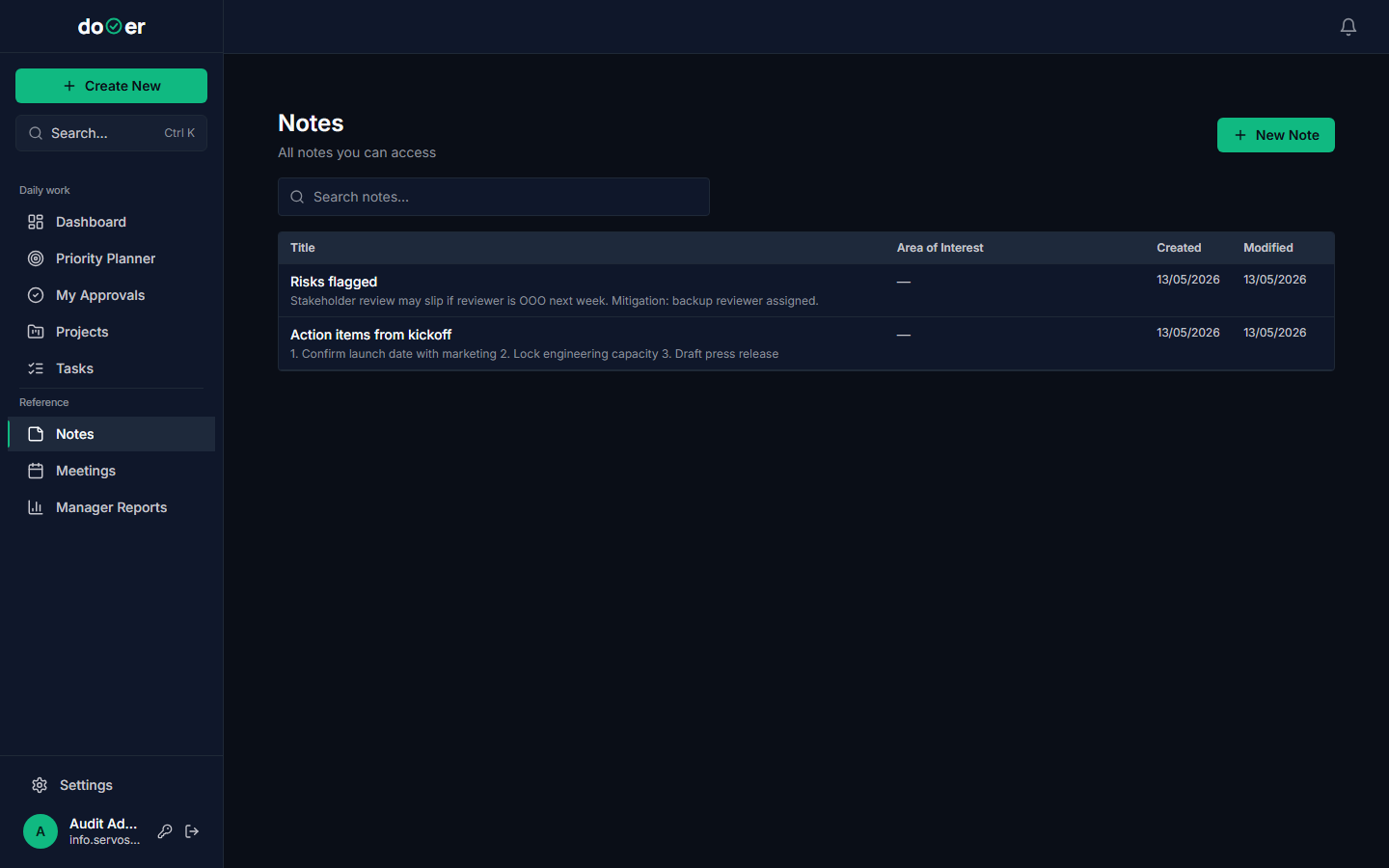
The row of tags at the top is the filter. Click any Area of Interest tag to show only notes filed under that topic. Click it again to clear the filter and see everything.
If you haven't tagged your notes, the filter row won't do much. It's worth using AoI for notes you expect to accumulate — "Finance", "Vendor", "Personal admin" — so you can find them without scrolling.
Note vs. task — which one to make
The short rule: if it needs someone to act on it by a specific date, it's a task. If it's something you want to remember to think about, it's a note.
| You're thinking... | Make a... |
|---|---|
| "I need to follow up on the supplier quote by Friday" | Task — it has a due date |
| "Remember to ask about the new budget process" | Note — no deadline, no assignee |
| "The spec doc needs a review before sign-off" | Task — it needs to land on someone's plate |
| "Interesting approach in that article — revisit later" | Note — no action yet, just a flag |
The practical test: can you fill in Assignee and Due date right now? If yes, make a task. If you're reaching for placeholder values just to satisfy the form, make a note instead and come back when the thinking is further along.
Notes don't block anyone
A task with no due date gets scheduled — or not. A note just sits there waiting for you. That's the point. Notes are a holding space, not a commitment.
What's next
Capturing work → When a note has developed into something real — a title, an owner, a deadline — this page covers how to turn it into a task or project.
Your daily flow → How the Dashboard and Priority Planner work together to surface the tasks that actually need your attention today.