Team Lead Advanced — govern projects and meetings
Goal: stop running ad-hoc. Use Projects, Meetings (with RACI attendees), and Feedback Registers to instrument the team so that decisions stop being remade week after week.
You arrive here after Basic. You can assign and approve. Now you take the next step: putting structure around the work itself.
Why this tier matters
There is an idea in software engineering that "every team eventually rebuilds Slack." The same is true of leads — every lead eventually invents their own version of: a project tracker, a meeting agenda template, a feedback log. dooer has all three already, with one nontrivial advantage: the entities are linked.
A decision made in a meeting can become a task. A piece of feedback on a task can roll up to the project. A project's status change propagates to everyone watching. The Advanced tier is where you start exploiting those links instead of running spreadsheets on the side.
The 9 journeys
T-2.1 — Create a Project and link 10+ tasks to it
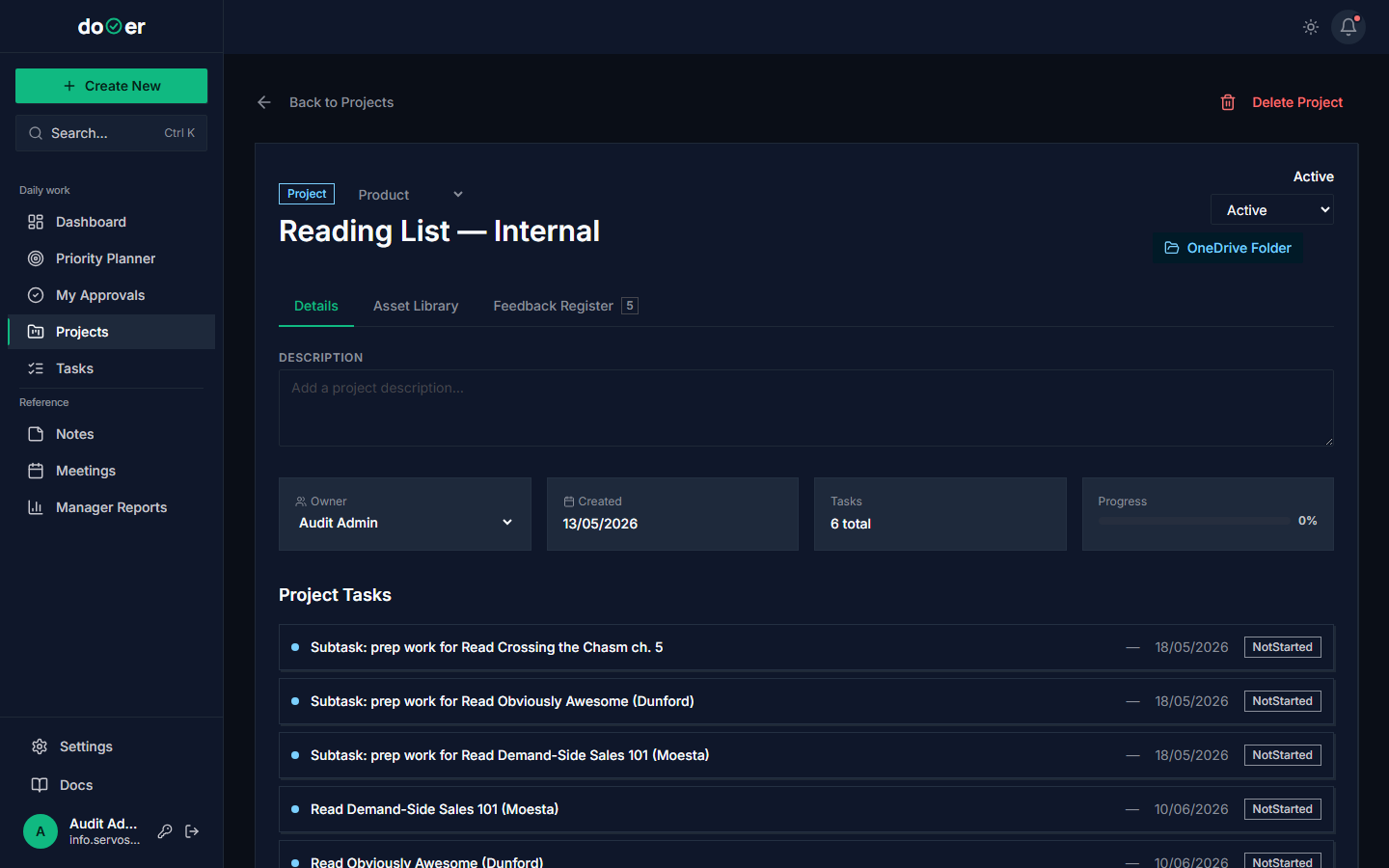 Once a project has 10+ tasks, the dashboard becomes useful.
- Open Projects. Click + New project.
- Give it a clear name. Pick the status (Planning / Active).
- For every task that belongs to this initiative, edit the task and set its project to this one.
What just happened
- A
Projectrow was created withslugunique-per-org. - Each linked task now carries
project_id. - The project's status column on
/projectsis populated. - The task counts and effort_hours roll-up are now visible from the project detail.
Concept: work breakdown structure (WBS). PMBOK 7 (PMI, 2021) defines WBS as "the decomposition of project scope into deliverables." A project + its linked tasks is a WBS, one level deep. You can go deeper with subtasks (parent_id).
T-2.2 — Maintain project status with intent
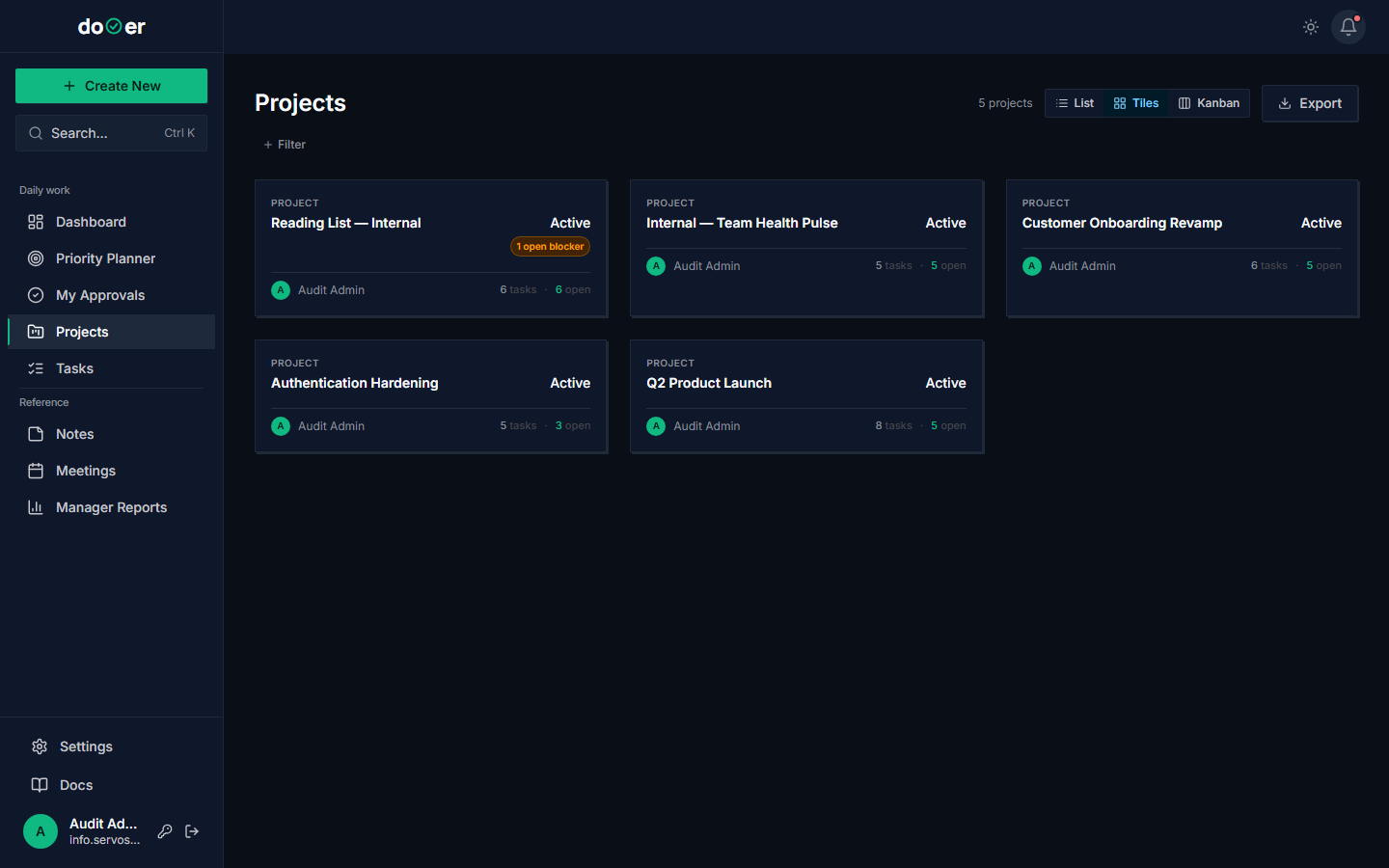 Status is not decoration. It tells the team what to expect from the project.
- On
/projects, drag projects between status columns deliberately:- Planning = scoping; team should not start work.
- Active = green light; team executes.
- On Hold = paused; team works on other things; decision needed before resuming.
- Completed = done; only review-and-learn work remains.
- When a project moves to On Hold, write a comment explaining why and what unblocks it.
Stale statuses are how trust dies
A project sitting in "Active" for 3 months with no progress signals to your team that the status column is theatre. Move it to On Hold. Be honest.
Concept: stage gates. The status columns are dooer's lightweight implementation of stage-gate project management (Cooper, 1990). The gates are the moments where you decide: continue, pause, kill.
T-2.3 — Run a kickoff meeting with RACI attendees
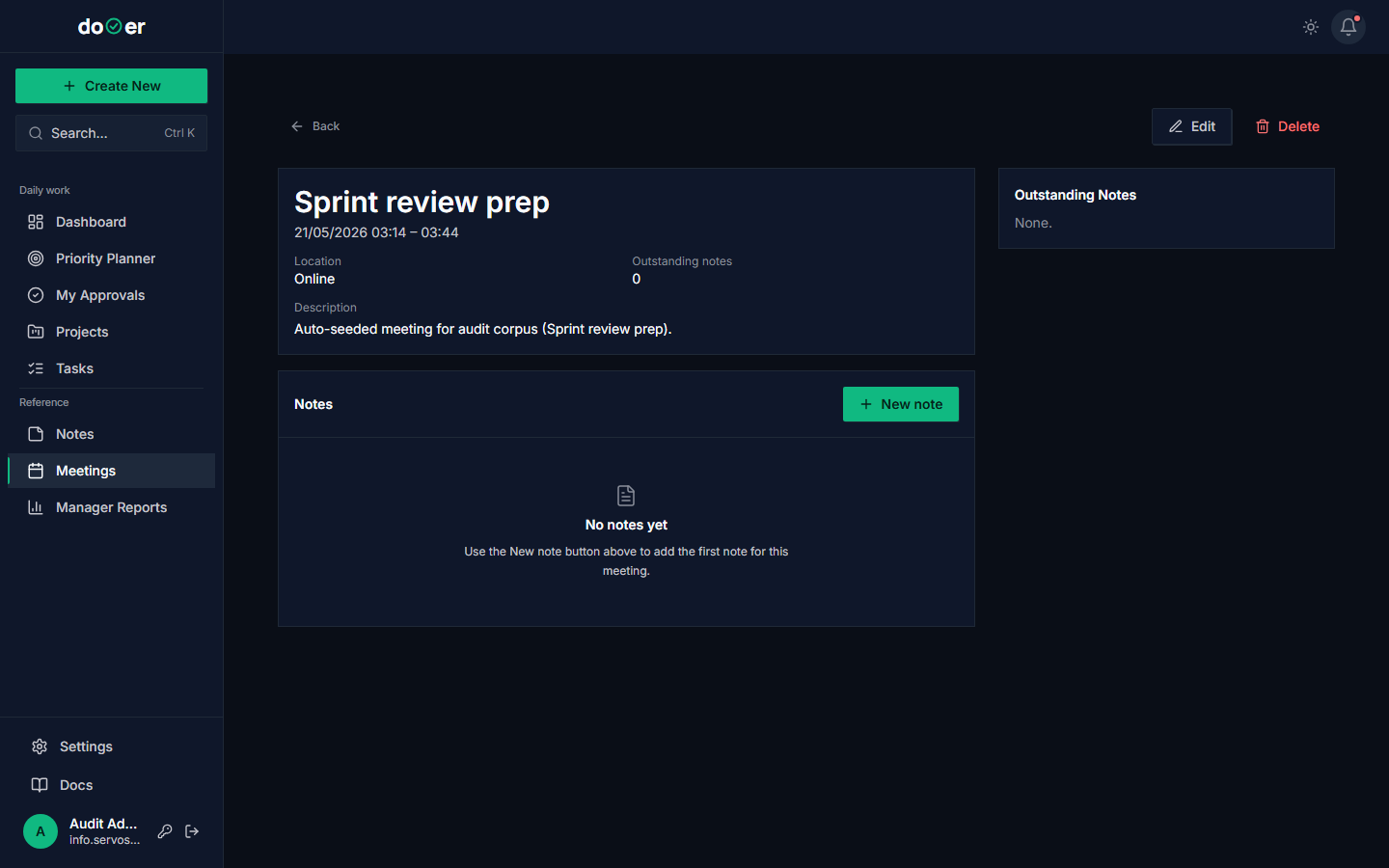 Every attendee has an explicit role. No more "why am I in this meeting?"
- Open Meetings. Click + New.
- Title: "
kickoff". - Add attendees. For each one, set the RACI role:
- R (Responsible) — does the work.
- A (Accountable) — owns the outcome. Exactly one A.
- C (Consulted) — must give input before the decision.
- I (Informed) — must be told after the decision.
- Save.
What just happened
- A
Meetingrow was created. - For each attendee, a
MeetingAttendeerow with an explicitraci_role. - If syncing from Outlook, a
MEETING_SYNCED_FROM_OUTLOOKnotification fanned out.
Concept: RACI. The matrix is older than most software companies — PMI documented it formally in 2005 (Smith et al.). The single rule that matters: exactly one A per decision. If you have two A's, you have zero A's.
T-2.4 — Capture decisions during the meeting; create action items as tasks
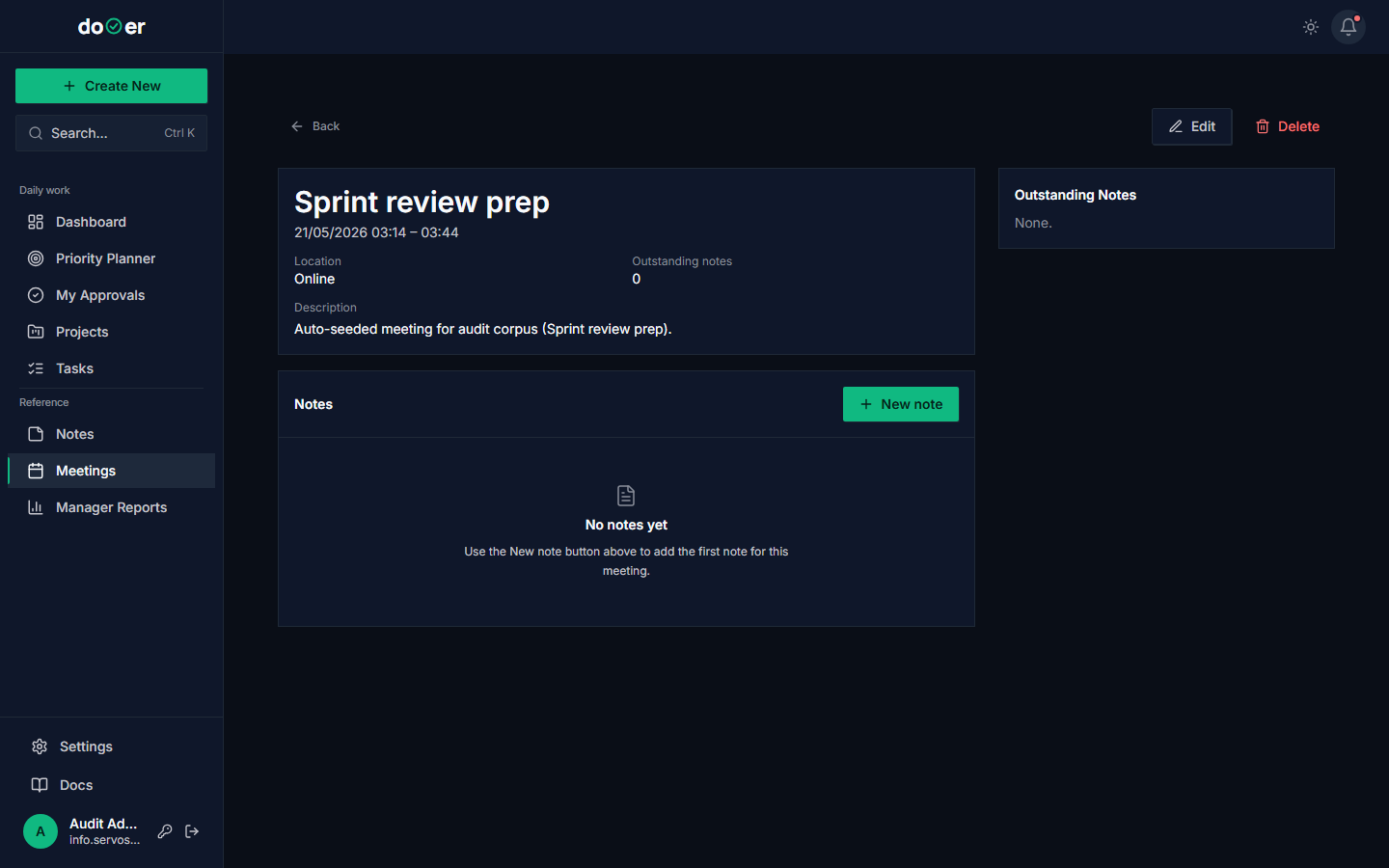 Decisions become history. Actions become tasks. Both linked to the meeting.
During the meeting:
- As decisions are made, click + Decision. Write one sentence per decision.
- As action items emerge, click + Action. Each action creates a
WorkItemautomatically, assigned to whoever owns it. - After the meeting, the meeting detail page is the record of truth.
What just happened on each action
- A
WorkItemwas created withassignee_id= the owner,original_assigner_id= you, linked back to the meeting viaWorkItemBriefNote. - A
TASK_ASSIGNEDnotification fired. - The decision is now in the meeting's permanent record.
Concept: meeting hygiene. Patrick Lencioni's Death by Meeting (Lencioni, 2004) is the canonical read. The two things that make a meeting worth the cost: a decision is reached, or an action is taken. dooer's meeting model is built for exactly those two outputs.
T-2.5 — Use the project's Feedback Register as a single-channel improvement loop
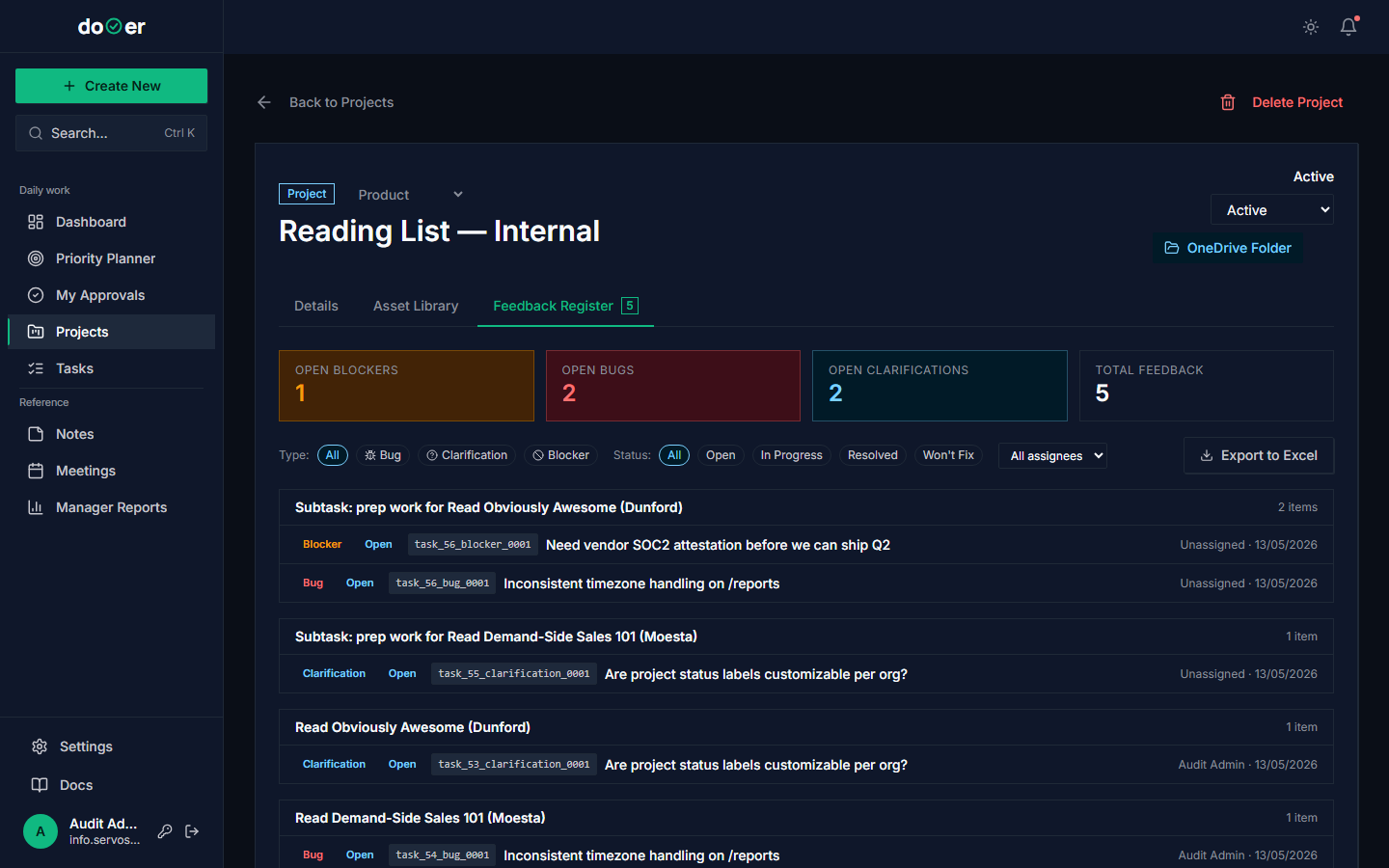 Every team gets feedback. The ones that improve are the ones with a single channel for it.
- Tell the team: "All project-level feedback goes in the Feedback tab. Not Slack. Not email."
- Each morning, walk the open feedback. Close, convert, or defer.
- Once a month, share the register summary with the team.
Concept: single-channel feedback. The DB-level constraint that you can have only one pending feedback per task per author exists to enforce this. If feedback is scattered, it dies. One place, one loop.
For the full lifecycle (Pending → Approved/Rejected/Convert-to-Task) plus the decision matrix on when to use feedback vs comment vs new task, read The feedback process end to end — it's the single most under-used model in dooer.
See also Psychological safety — feedback loops only work if people feel safe contributing.
T-2.6 — Use project assets as the SoT for files
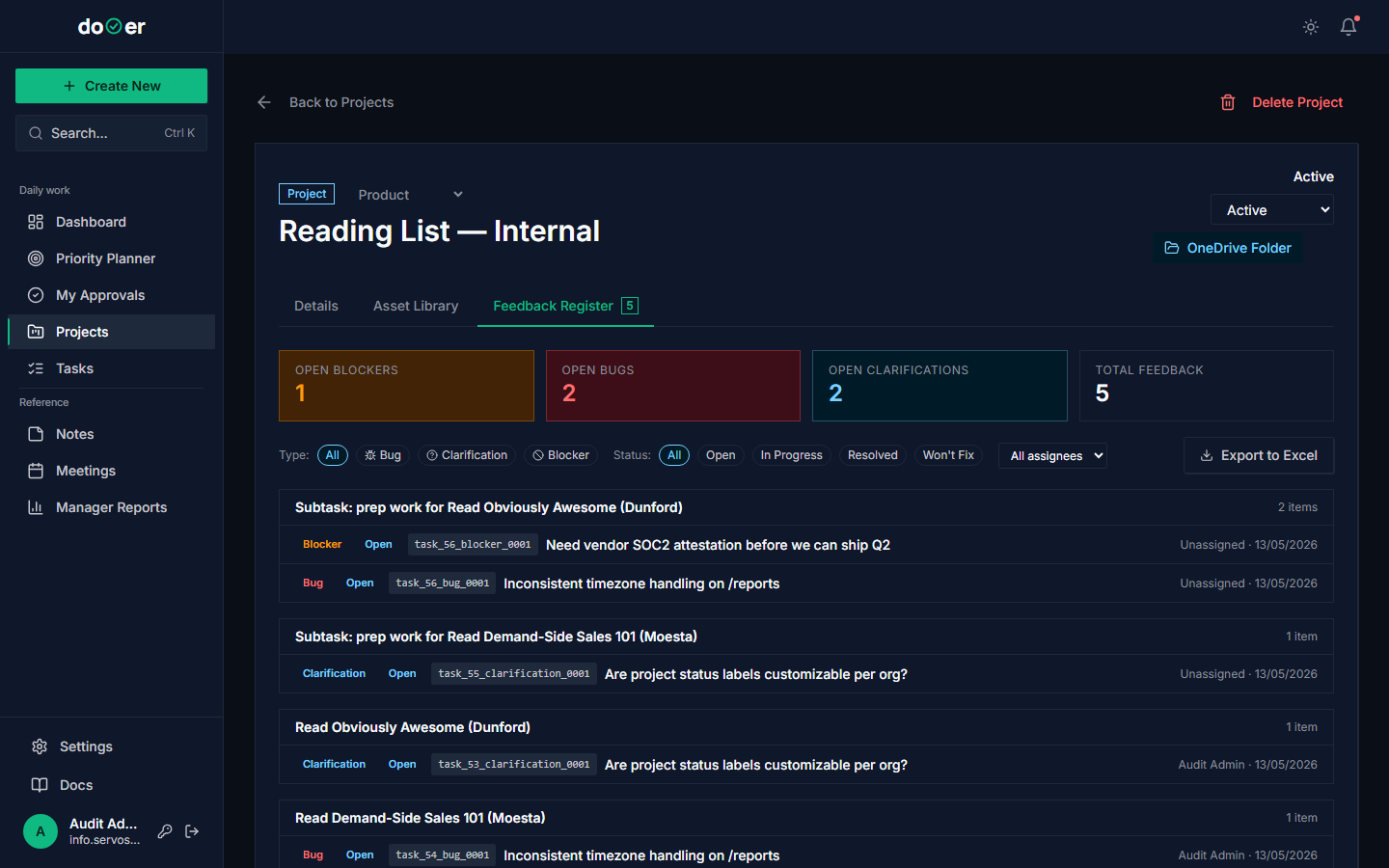 Never attach files to emails. Attach them here.
- Open the project's Assets tab.
- Upload (or link externally) every file the project depends on: the brief, the contract, the design files, the data export.
- From now on, every reference is via the Assets tab — never via email attachment.
What just happened on upload
- A
Resource(orAttachment) row was created on the project. - A
RESOURCE_UPLOADEDnotification fired to stakeholders. - An
AuditLogrow:action=attachment_add.
Concept: single source of truth (SoT). The opposite is seven sources of truth, which is what happens when files live in email. Every PMO failure mode you can think of involves "we worked off the wrong version."
T-2.7 — Track effort estimate vs actual on a project
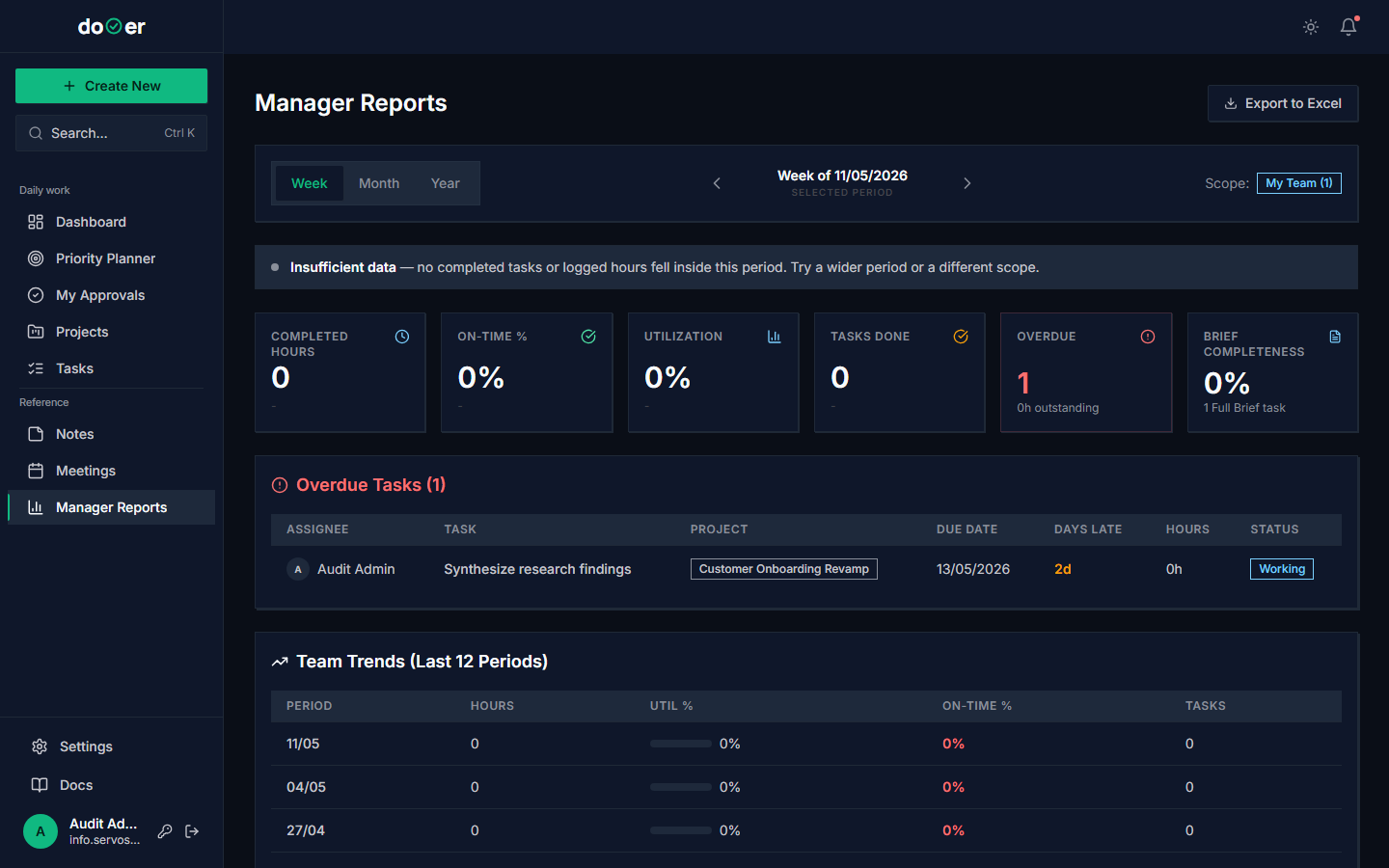 The variance chart is where you see the team learn (or not).
- Open Manager Reports. Filter to one project.
- Compare effort_hours estimated (sum of
effort_hoursat approval) to actuals (recorded as work logs or inferred from elapsed time). - If variance is more than 50%, run an estimation retro at the end.
Concept: estimation calibration. Steve McConnell's Software Estimation (McConnell, 2006) calls this "estimate vs actual tracking." The point is not to be right — the point is to get less wrong over time. Track the variance and the team's estimates improve within 3 months.
See Estimation.
T-2.8 — Run a monthly project review
Once a month, for each active project:
- Open the project detail.
- Walk through: open tasks count, oldest open task age, open feedback count, status changes in the last 30 days (from audit log).
- Decide one thing: continue as-is, change scope, change cadence, change owner, kill.
- Document the decision in a meeting (T-2.3 again, but smaller).
Concept: cadence. Andy Grove (Grove, 1983) wrote that the single most useful thing a manager does is set the cadence of review meetings. Without cadence, status drifts. With cadence, problems surface while they're cheap.
T-2.9 — Use recurring meetings to instrument team cadence
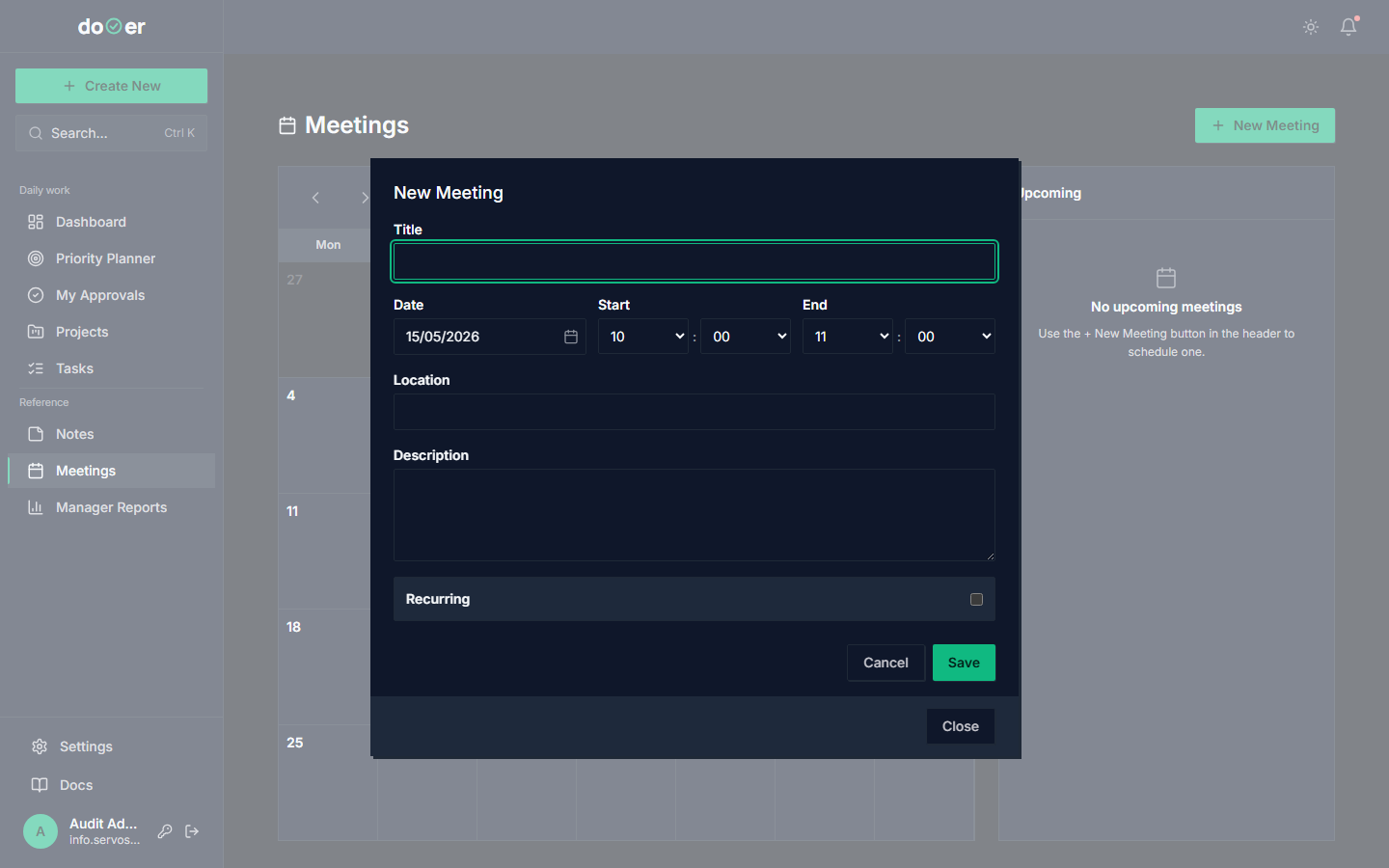 A recurring weekly meeting. The attendee list and RACI roles carry forward to every instance.
Andy Grove (Grove, 1983) wrote that the single most useful thing a manager does is set the cadence of review meetings. Cadence is what turns "we should check in" into "we always check in." Without cadence, status drifts and surprises pile up. With cadence, problems surface while they are cheap to fix.
dooer's recurring meetings make cadence cheap. Set the rhythm once, and every instance carries the attendee list, RACI roles, and link back to the meeting series.
The four recurring-meeting cadences a Team Lead at this level should be running:
- Weekly 1:1 with each direct report. 30 minutes. Same time, same day. The single most leveraged meeting on your calendar (Horstman, 2016 — The Effective Manager).
- Weekly team status. 30 minutes. Wednesday or Thursday — late enough to know the week, early enough to fix it. Decisions logged (T-2.4). Action items become tasks.
- Monthly project review per active project. 60 minutes. Driven by the leading indicators (T-3.1 preview): open feedback count, oldest task age, status drift. (See Leading vs lagging.)
- Quarterly portfolio review. 90 minutes. All project leads. Walks every active project and produces changes: kill, slow, accelerate, hold. (Becomes T-3.4 at Proficient.)
How to set up:
- Open Meetings → + New.
- Title: e.g. "1:1 with Anna — weekly".
- Add attendees with explicit RACI roles (T-2.3).
- Set recurrence: pick the weekday(s), frequency, and end condition (or open-ended).
- Save.
What just happened
- The
Meetingrecord was created with a recurrence pattern. - Every cycle, dooer spawns the next instance with the same attendees + roles.
- Decisions and actions stay attached to their instance — so you can walk back through the history of any 1:1 and see what was discussed when.
- If you Outlook-sync,
MEETING_SYNCED_FROM_OUTLOOKnotifications fire so attendees see it in their bell.
Why this matters for "available time": put your recurring meetings on the calendar first. Whatever's left is your real discretionary capacity. Most leads discover their week is 60% booked before they even open the new-task form. That's not a problem — that's reality. The problem was thinking otherwise.
Common misuse: scheduling a recurring meeting because something might come up, then everyone shows up to nothing. The fix: every recurring meeting needs an answer to "what decision will this meeting produce?" If no answer, kill the meeting. Lencioni (2004) is clear on this — meeting-as-ritual is the most expensive way for a team to disengage.
When you're ready for Proficient
dooer will show a "ready for Proficient" hint when:
- You have ≥2 active projects with a kickoff meeting + RACI + open feedback register.
- You have closed ≥3 feedback items with documented resolutions.
These thresholds say you're running structured projects — not just lots of tasks.
Where the ideas come from
- PMI (2021). PMBOK Guide, 7th Edition. — WBS, performance domains.
- Cooper, R. (1990). Stage-Gate Systems: A New Tool for Managing New Products. Business Horizons 33(3). — stage gates.
- Smith, M., Erwin, J. & Diaferio, S. (2005). Role and Responsibility Charting (RACI). PMI Practice Guide. — RACI matrix formalization.
- Lencioni, P. (2004). Death by Meeting. Jossey-Bass. — meeting hygiene.
- McConnell, S. (2006). Software Estimation: Demystifying the Black Art. Microsoft Press. — estimation calibration.
- Grove, A. (1983). High Output Management. Random House. — cadence.
Full bibliography: bibliography.